

Hash-based Message Authentication Code (HMAC)
Availability: on request
What is HMAC?
HMAC authentication creates a cryptographic signature of the request body that can be verified by the webhook server. This is a common pattern in webhook authentication to ensure the integrity and authenticity of the webhook payload. The tradeoff is a slighter more complex authentication method to implement.
The webhook server will independently create the HMAC with the same secret key and request body, and if the signatures match, it confirms that:
- The request body hasn't been tampered with.
- The request came from someone who knows the secret key.
Implementing with HMAC
Alloy creates the HMAC signature using the following steps:
- Using the raw secret, Alloy hashes the request body
- Alloy then encodes the resulting hash in base 64
The code:
const hmac = crypto.createHmac('sha256', clientSecret);
hmac.update(JSON.stringify(requestBody));
return hmac.digest('base64');
Example
Secret:
T6Q3Y1VXNBRequest body:
{
  "request_token": "480aae3a-a850-4276-b3a2-e8698988e016",
  "timestamp": 1749218054258,
  "type": "create:evaluations:run_create",
  "description": "Notify on Creating an Evaluation Manually",
  "data": {
    "agent_info": "[email protected]",
    "evaluation_token": "L-XFB1N2mw5aSzkQ89W39d",
    "application_token": "1hEl73OxaY7cGX1B2pcsOUj8XuVit3Mf",
    "entity_token": "P-Vc8WGJJ9Dgqu3Kk73OlX",
    "status_code": 201,
    "evaluation_status": "complete"
  }
}
Resulting authorization header:
POST /webhook-endpoint
authorization: Nyftzq+13l9qookC19OKkHdeo/9CWbctcazu4ywWjm4=
content-Type: application/json
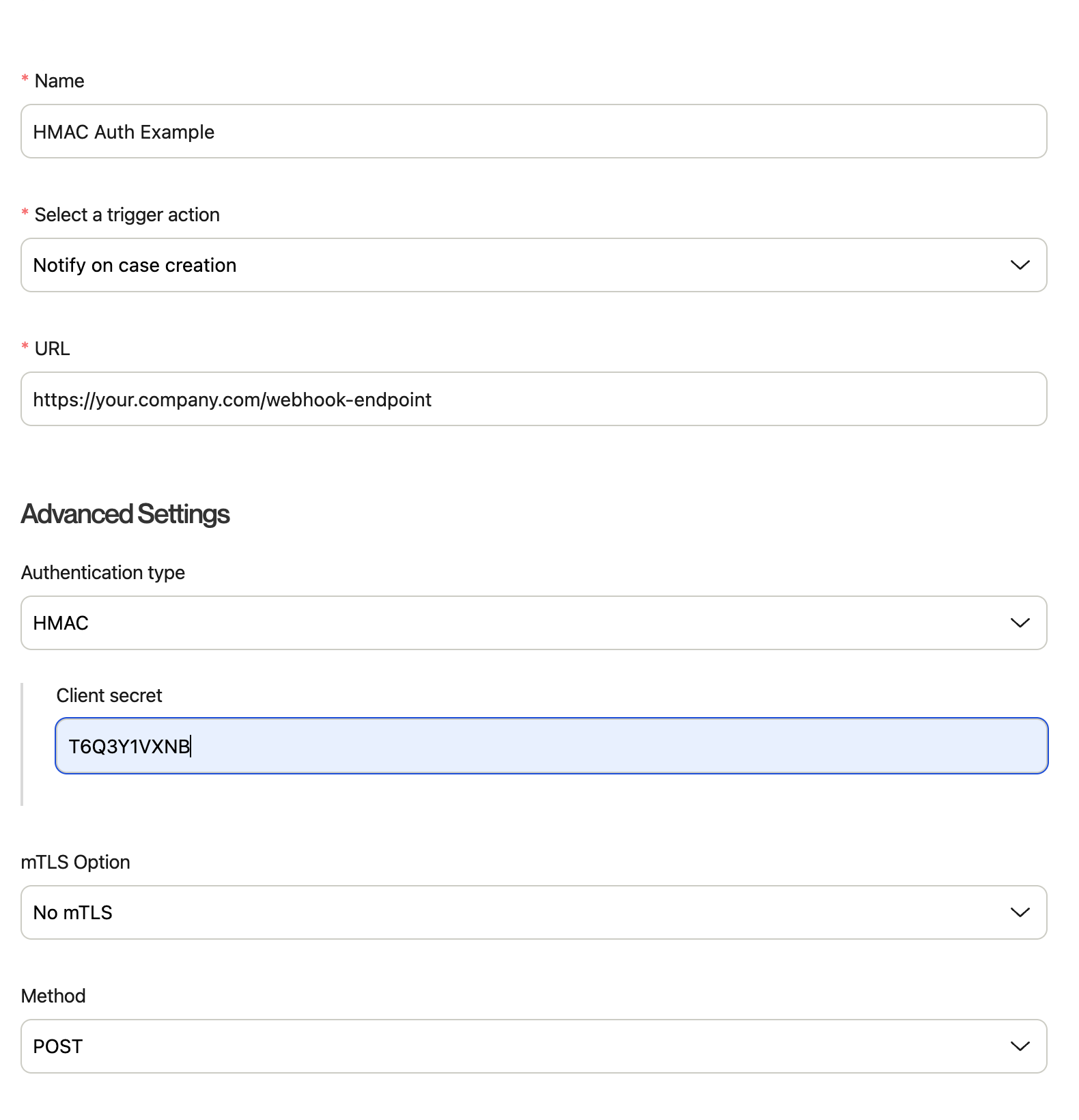
Configuration
In the Alloy dashboard, you can use HMAC for your webhook using the following configuration
Updated 3 months ago
Did this page help you?