

Decisioning with Events
Background
Ongoing data, including Entities, Bank Accounts, Transactions, Logins and more are sent to Alloy as Events. Events are a flexible record type and can be used simply to store data in Alloy for data retention and future use (data-storing events), or to evaluate the Event and related records through policy logic (monitored events).
Source Workflows
A Source Workflow is a Workflow in your Alloy account that monitors events with your business logic. A Source Workflow either runs in real time and evaluates each event you submit to the Events API, or runs as a Portfolio Workflow that evaluates the relevant events on a schedule.
Every event that runs through a Source Workflow creates an Evaluation. If the Source Workflow is set up in an Ongoing Journey, the Evaluation's outcome can also trigger an Alert and Investigation.
Real-Time Execution
Alloy runs a real-time Source Workflow when it receives an Events API request that matches the Workflow's Event mapping, which is based on the Event Type and Event Status. You can map more than one Source Workflow to the same event type to support different use cases.
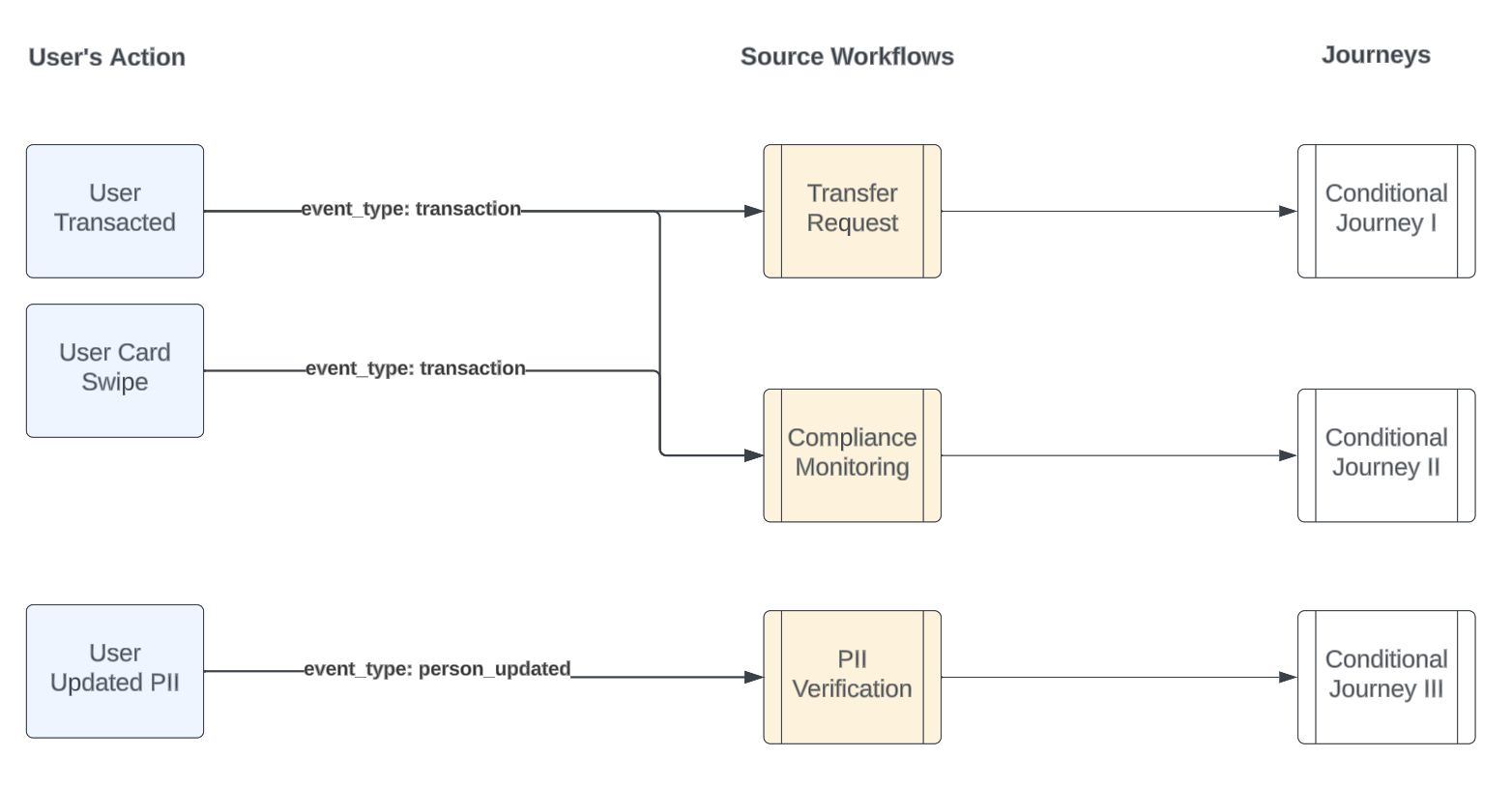
Each Source Workflow can have a conditional Journey attached, which runs depending on the Source Workflow's outcome. The Journey creates an Alert, and you can use it to orchestrate downstream actions in the event's lifecycle. For example, via the Journey you might:
- Request documents or device authentication via additional step-up workflows.
- Allow agents to review the alert and determine if it warrants additional investigation.
- Allow agents to promote the alert to a case on the user and file SARs if appropriate
Portfolio (Scheduled) Execution
Portfolio Workflows run on a set schedule instead of when Alloy receives an Event. They can still use data that you submit through the Events API, but since they don't run per event, they don't need an event mapping to execute.
Mapping Events by Type and Status
When Alloy receives a new event, it checks your Event mapping settings to decide which real-time Source Workflows to run, if any. You configure Event mapping in the Alloy dashboard with two fields from the Event payload. The following table describes each field:
| Field | API Field | Description |
|---|---|---|
| Event Type | event_type | The type of Event you're sending. See the list of supported Event Types here. |
| Event Status | event_status | The status of the Event. See more about Event Statuses in the next section. |
Every mapping requires an Event Type, and Alloy defines the list of possible Event Types. Event statuses are more flexible, since you can add custom statuses alongside Alloy's default values. Alloy recommends including the event status in a mapping whenever an event's status determines how you monitor that Event, or whether you monitor it at all.
Updated 4 days ago