

Partner Center
Partner Center is the hub in your Alloy dashboard for discovering, evaluating, and managing the Partner Solutions available to your account — over 80 Solution Partners and 250+ Solutions spanning identity verification, fraud, credit underwriting, and compliance.
How it works
Open Partner Center from your dashboard navigation. Solutions are organized into three tabs:
| Tab | What it shows |
|---|---|
| Partner Solutions | Every Solution available in the Alloy ecosystem |
| Alloy Solutions | Solutions built directly by Alloy |
| My Solutions | Solutions currently enabled in your Alloy account |
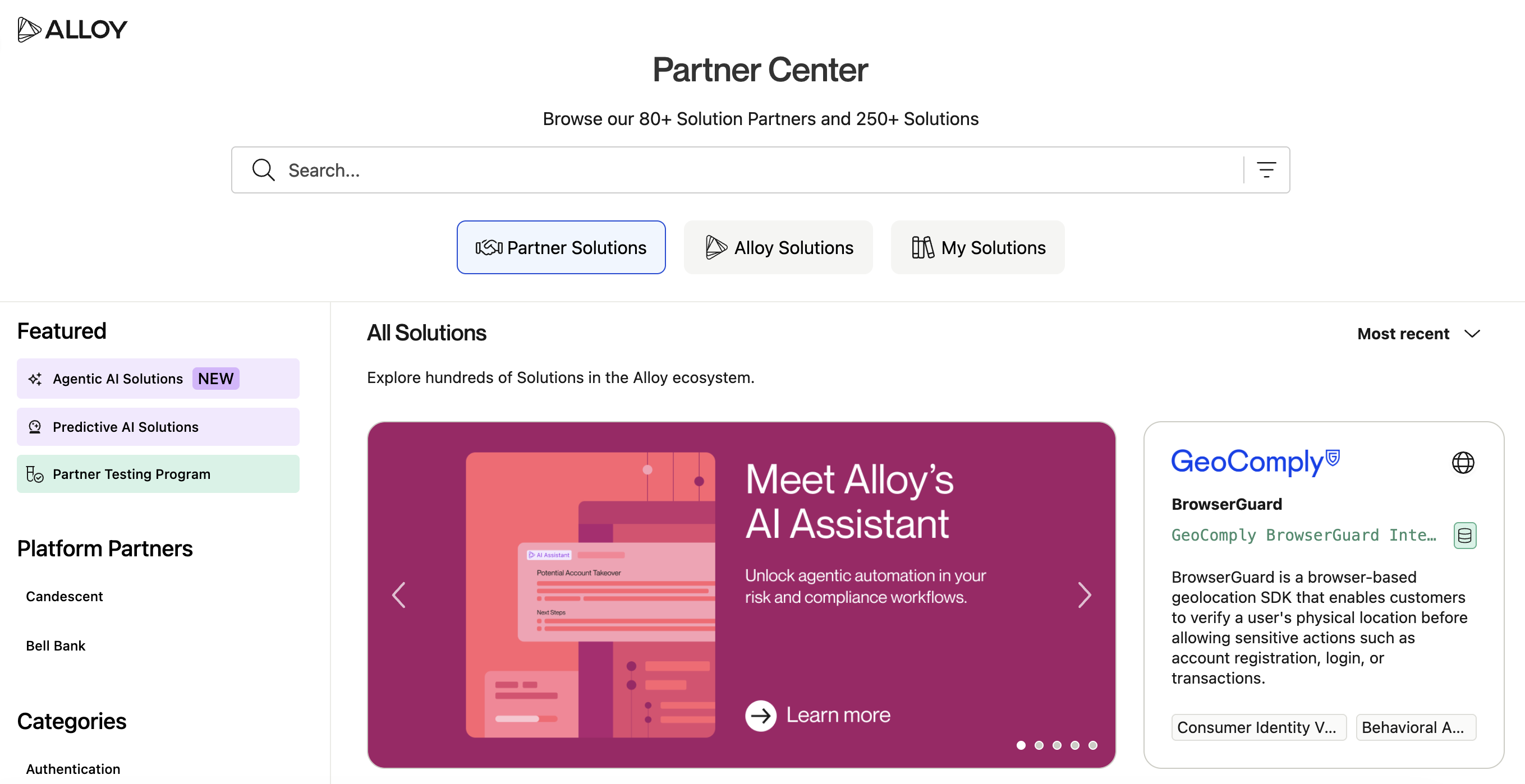
Use the search and filter bar to narrow results by partner name, solution name, category, region, or partnership type.
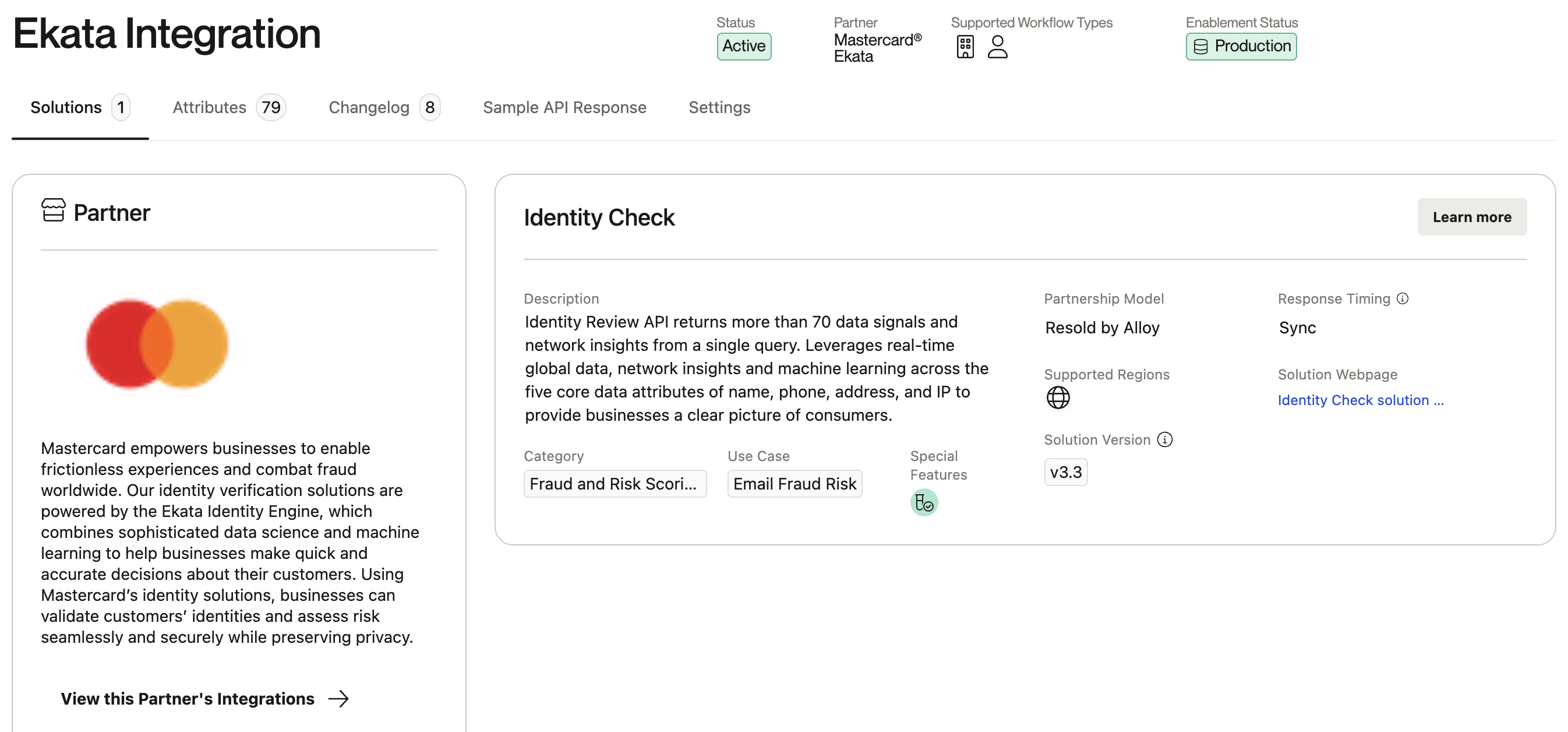
Selecting a Solution opens its detail page, which includes:
- Partner logo and description
- Category, sub-category, and region coverage
- Partnership type —
Integrated by Alloyfor Solutions Alloy built and maintains directly, orResold by Alloyfor Solutions that Alloy resells and bills for - Links to the partner's marketing docs, where available
- A sample API response, so you can see the actual shape of the data a Solution returns before you build against it
- Settings — the configuration values for that integration
- Attributes — the data fields available from that integration's API response, and where you create your own custom ones (see Attribute Tool)
Requesting more information
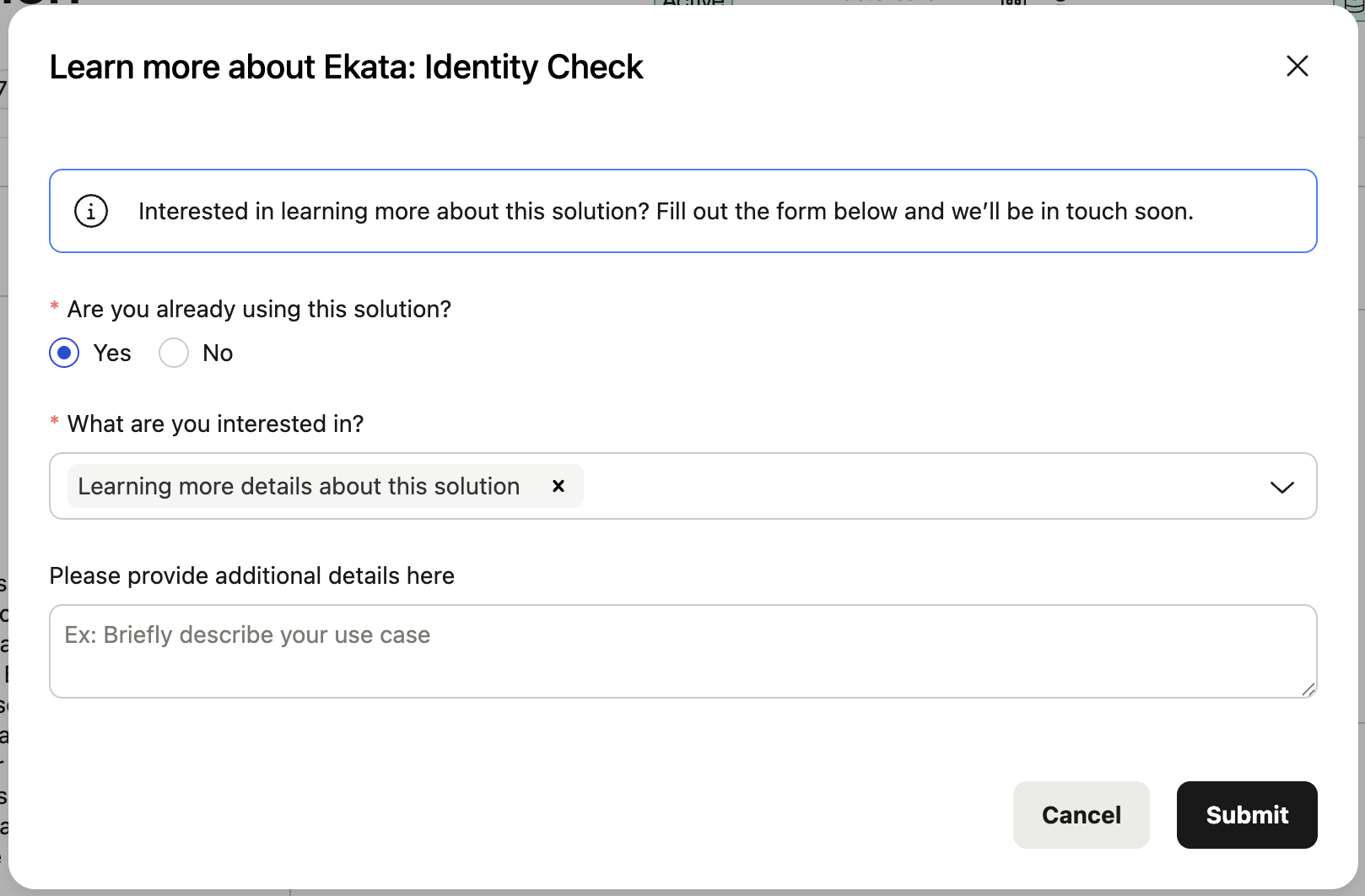
If you want more detail on a Solution, open it and select Learn More and fill out the form. Submitting the form sends a request to your Alloy account team, who will follow you up directly.
Core concepts
- Solution vs. Integration — an Integration is the technical connection Alloy builds and maintains with a partner's API. A Solution is the specific product a partner offers through that integration (and, for resold solutions, how Alloy typically packages it). You'll see both terms used, sometimes for the same underlying solution.
- My Solutions — reflects what's technically enabled in your dashboard account, not what your organization is contracted for. If your account has separate production and sandbox environments, or was set up before a contract change, this list can be over- or under-inclusive.
- Testing Program Participant — a tag on solutions eligible for Alloy's Partner Testing Program (see below). It's an invitation to trial the solution, not a signal that your account is already using or being billed for it.
Partner Testing Program
Solutions marked Testing Program Participant are part of a program designed to make it faster to trial new solutions: streamlined contracting and credential setup so you can run a controlled trial, with up to 1,000 free calls when trialing a solution resold by Alloy for the first time (some partners offer higher volumes).
When to use it
Use Partner Center whenever you're:
- Exploring solutions for a new use case, market, or line of business
- Confirming what a solution's API response looks like before scoping a workflow change
- Requesting more information on a solution ahead of a contract conversation
- Reviewing or updating settings for a solution you already use
- Managing custom attributes for a solution's data
How it fits in Alloy
Solutions you review in Partner Center are the same solutions you utilize as service nodes in your journeys and workflows. Partner Center is where you evaluate and configure them, while the journeys and workflow editor is where you put them to work. Role-level access to Partner Center's tabs is controlled the same way as everywhere else in the dashboard, from Settings → Roles.
What's next
Updated 21 days ago